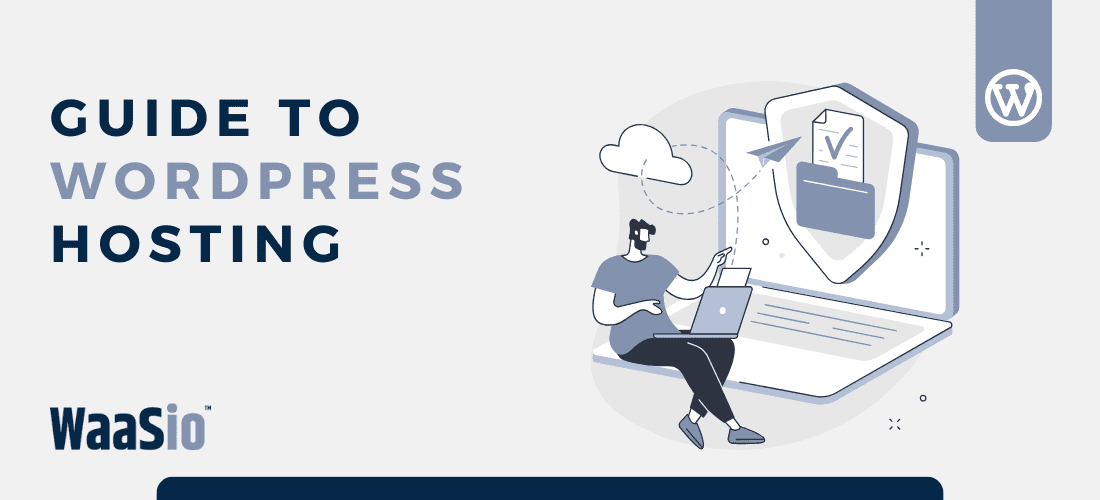

Introduction: Navigating the WordPress Hosting Landscape for Your Business
Welcome to the first step in your journey to choosing the right WordPress hosting for your business. With an abundance of options available, understanding what sets one service apart from another is crucial for performance, security, and support. Here’s how to navigate this landscape:
- Evaluate Your Needs: Consider the size of your business, expected traffic, and required resources.
- Understand the Types: Know the difference between Shared, Managed, and WordPress as a Service (WaaS).
- Budget Matters: There’s a solution for every budget – balance cost with features.
- Seek Scalability: Your business will grow, so should your hosting plan.
Armed with this basic knowledge, you’ll be ready to delve deeper into the specifics that will form the backbone of your WordPress site.
What’s Next?
After wrapping your head around the basics, it’s time to dive into the nuts and bolts:
- Performance: Speed and uptime are non-negotiable for online success.
- Security: Safeguarding your site against cyber threats is essential.
- Support: Reliable help can mean the difference between a hiccup and a headache.
Each of these pillars plays a pivotal role in the stability and growth of your digital presence. As we transition into the next sections, keep your unique business needs in mind – they’ll guide you towards the right choice in the bustling world of WordPress hosting.
Let’s move forward by “Evaluating WordPress Hosting Performance: What to Look For”, ensuring your website operates at its peak capability.
Evaluating WordPress Hosting Performance: What to Look For
When it comes to hosting for your WordPress site, performance can make or break the user experience. Faster websites not only rank better on search engines but also retain users and convert more effectively. Here are key metrics to consider:
- Load Time: Check how long a page takes to load completely. Aim for hosting that offers fast load times to keep visitors engaged.
- Uptime Guarantee: Look for a host with a high uptime percentage, preferably above 99.95%, ensuring your website is reliably accessible to visitors.
- Server Response Time: Investigate the average time servers take to respond to a request. The quicker the response, the faster your pages will load.
- Scalability: Ensure that the hosting solution can grow with your business, easily handling traffic spikes without performance hiccups.
- Content Delivery Network (CDN): A CDN can drastically improve site performance by distributing content closer to users globally.
Performance Testing Tools
Utilize tools like Google PageSpeed Insights, GTmetrix, or Pingdom to assess and monitor your website’s performance over time.
Caching Mechanisms
Caching is crucial in enhancing WordPress performance. Opt for hosts that offer built-in caching solutions or support popular WordPress caching plugins.
Remember, a faster website enhances the user experience, reduces bounce rates, and improves SEO. As you move to the next section on security, reflect on how performance and security work hand in hand to provide a steadfast foundation for your WordPress site.

Securing Your Online Presence: WordPress Hosting Security Essentials
When it comes to selecting a WordPress hosting service for your business, security should never be compromised. Protecting sensitive data and ensuring your website’s integrity is crucial in maintaining trust with your customers. Here are some key security features to look for:
Robust Firewalls
- A solid hosting provider will include strong firewalls to guard against malicious attacks.
Meticulous Malware Scans
- Daily or real-time scanning can help detect threats early, keeping your site safe.
Timely Software Updates
- Your host should offer automatic updates for WordPress and associated plugins to protect against vulnerabilities.
Data Encryption & Backups
- Look for hosts offering SSL encryption to secure data transfers.
- Ensure the host performs regular backups, so you can restore your site if needed.
User Access Control
- Control who has access to different aspects of your site to minimize the risk of internal breaches.
Dedicated Support for Security Issues
In case things go south, having dedicated support that specializes in security issues can make all the difference in resolving problems swiftly.
Remember, a reliable WordPress host will prioritize these security essentials, giving you peace of mind and allowing you to focus on growing your business. Once secure, you can concentrate on ensuring you have the right support services at hand for any eventuality – leading us into the next important aspect of WordPress hosting.

WordPress Support Services: Ensuring You Have The Help You Need
When choosing the right WordPress hosting for your business, considering the type of support services available is crucial. Effective support can mean the difference between a minor hiccup and a website crisis.
Types of Support to Consider:
- 24/7 Customer Service: Look for hosts that offer round-the-clock support.
- Knowledge Base: A comprehensive library of resources can help you troubleshoot issues on your own.
- Live Chat & Phone Support: Instant access to experts can rapidly resolve any unexpected issues.
- Managed Services: For those preferring a hands-off approach, some hosts provide complete management of your WordPress site.
- Community Forums: Access to a community for advice and tips can be invaluable.
What Good Support Covers:
A robust support service should assist you with:
- Troubleshooting common errors
- Guidance on plugin and theme issues
- Performance optimization tips
- Security best practices
- Technical updates and maintenance
Remember, the goal of having strong support is not just troubleshooting but also preventing issues before they arise. Prioritize web hosts that are proactive in their support approach.
As you navigate the different levels of support offered, it’s evident that the right choice can empower your online business. Moving into the next section, we’ll explore the pros and cons of Managed vs. Shared WordPress Hosting Options, which will help you further narrow down your preferences based on the level of control and assistance you require.

Comparing Managed vs. Shared WordPress Hosting Options
Choosing the right type of WordPress hosting can significantly impact your website’s performance, security, and overall success. Let’s break down the differences between managed and shared WordPress hosting to aid in your decision-making process.
Managed WordPress Hosting
- Performance: Optimized specifically for WordPress sites, providing faster loading times and better scalability.
- Security: Offers heightened security protocols, regular malware scans, and automatic updates to ward off potential threats.
- Support: Expert assistance with dedicated support from WordPress knowledgeable staff.
- Cost: Generally more expensive due to the specialized services and features provided.
- Best For: Businesses looking for a hands-off approach and those who prioritize website performance and security.
Shared WordPress Hosting
- Performance: Suitable for smaller websites but might struggle under high traffic loads due to resource sharing.
- Security: Basic security features, sometimes less frequent updates which could pose risks.
- Support: Varies widely by provider; generally not as specialized as managed hosting support teams.
- Cost: More budget-friendly, making it an appealing option for startups or small businesses.
- Best For: Those just starting out or businesses with minimal website requirements.
When comparing managed versus shared options, consider the long-term value each brings to your business. While shared hosting may seem cost-effective initially, managed hosting can save you time and resources on maintenance, security, and scaling up your operations.
As we venture into the realm of WordPress as a Service (WaaS), think of your hosting choice as the foundation for future growth. In the next section, we’ll explore how WaaS might revolutionize your WordPress experience and why it could be the ultimate guide to choosing the right WordPress hosting for your business.

Why Website as a Service (WaaS) Might Be the Game-Changer for Your Business
Website as a Service (WaaS) is an innovative hosting model that is transforming how businesses manage their online presence. By subscribing to WaaS, you gain more than just a hosting solution; you get an all-inclusive package designed to take your business to the next level.
Streamlined Operations
- Automated Updates: Regular updates are handled automatically, ensuring your site always runs the latest software.
- Simplified Management: One dashboard to manage all your WordPress needs helps streamline workflows and save time.
Cost-Effective Scale
- Predictable Pricing: WaaS provides a flat-rate pricing structure, aiding in easier financial planning and budgeting.
- Scalability: Easily scale resources up or down based on your website traffic without worrying about server limitations.
Enhanced Security and Performance
- Top-notch Security: WaaS providers often offer enhanced security features as part of their service package.
- Optimized Performance: Tailored specifically for WordPress, WaaS ensures that your site operates at peak efficiency.
Incorporating WaaS into your business can lead to significant operational advantages, including reducing the need for in-house technical staff and freeing up valuable company resources. By channeling these savings into other areas of your business, WaaS encourages growth and innovation without sacrificing quality or performance.
As we transition into the next section, consider how managed and shared hosting options compare to the robust offerings of WaaS. The right choice could very well be the linchpin in future-proofing your digital footprint and ensuring long-term success.

Conclusion: Making an Informed WordPress Hosting Decision for Long-Term Success
Choosing the right WordPress hosting for your business is crucial for your business’s long-term success. The investment you make today will influence your website’s performance, security, and support level – all of which are pivotal for maintaining a healthy online presence. Here’s a recap of what to consider:
- Performance: Prioritize fast loading times, high uptime, and scalability to handle traffic spikes.
- Security: Look for hosts offering robust security measures to protect your site from threats.
- Support: Ensure that expert assistance is accessible when you need it most.
Long-Term Perspective
Think about where your business will stand in the next few years:
- Will your chosen host be able to grow with you?
- Can they provide advanced solutions as your needs evolve?
Cost vs. Value
Balance the cost of hosting services with the value they bring to your business:
- Better performance can lead to more sales.
- High-level security reduces the risk of costly breaches.
- Reliable support saves time and helps maintain business continuity.
In conclusion, take the time to assess each hosting option against these critical factors. Remember, the cheapest option isn’t always the best when it comes to hosting. Your focus should be on finding a balance between cost, features, and the potential growth of your business.
With your hosting decision well-informed and strategic, you’re now ready to launch or improve your business’s WordPress site confidently. But our guide doesn’t end here. Stay tuned for our upcoming section, where we’ll dive deeper into the complexities of hosting and help you master the art of managing your WordPress environment efficiently.